Trying to showcase all of your great digital content on social media can be difficult at the best of times.
Should you direct followers to your company’s website? How about a current offer? Or even your other social accounts?
Well, you have to decide because you can only put one link in your bio!
Or can you?
With Linktree you can create a landing page that allows your target group to move seamlessly across your brand’s digital pages. This allows you to promote new offers, YouTube videos, a company contact page, and everything in between.
Here I answer the question “What is Linktree?” We’ll also show you how to set one up for your brand this year.
Do you have little time? Here are the key takeaways
- Linktree allows multiple links in a single bio, making it easier to share content on social media.
- Linktree is free to use, a paid version offers more customization and analysis options.
- Setting up a link tree is quick and easy, requiring just a few steps to add links and personalize your page.
- Linktree can increase engagement by directing users to your website, offers, social profiles or content.
What is Linktree?
First let me explain what a linktree is for those who don’t know. For those who already know this, feel free to skip to the next part!
Linktree is a tool designed for social media users to add personalized links to their platforms and serve as a starting point for their many other digital content.
You might think that your favorite social media channel has multiple links, but most only allow one, making it difficult for users to choose the right link to promote.
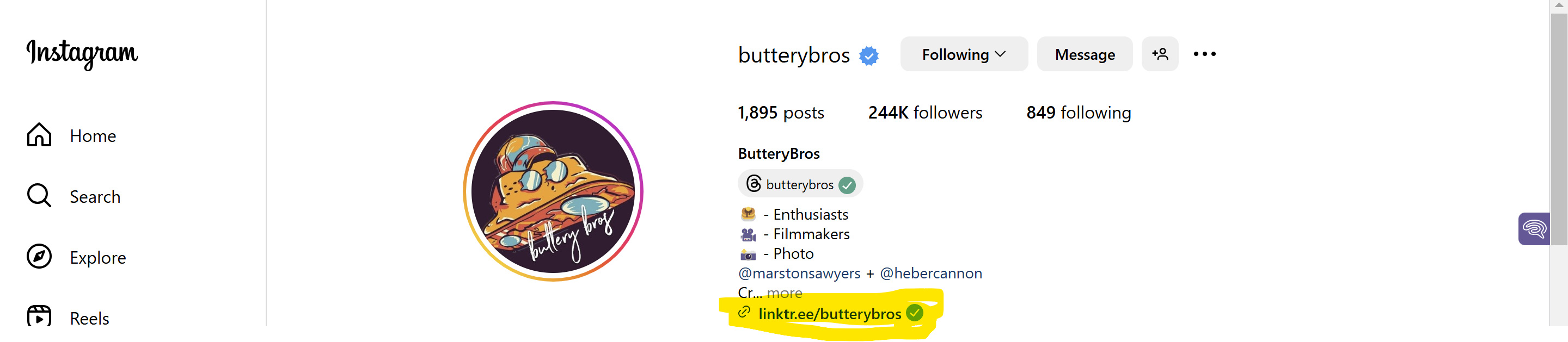
Linktree eliminates this problem and takes fans and viewers to a Linktree landing page where social media celebrities and brands can display various links.
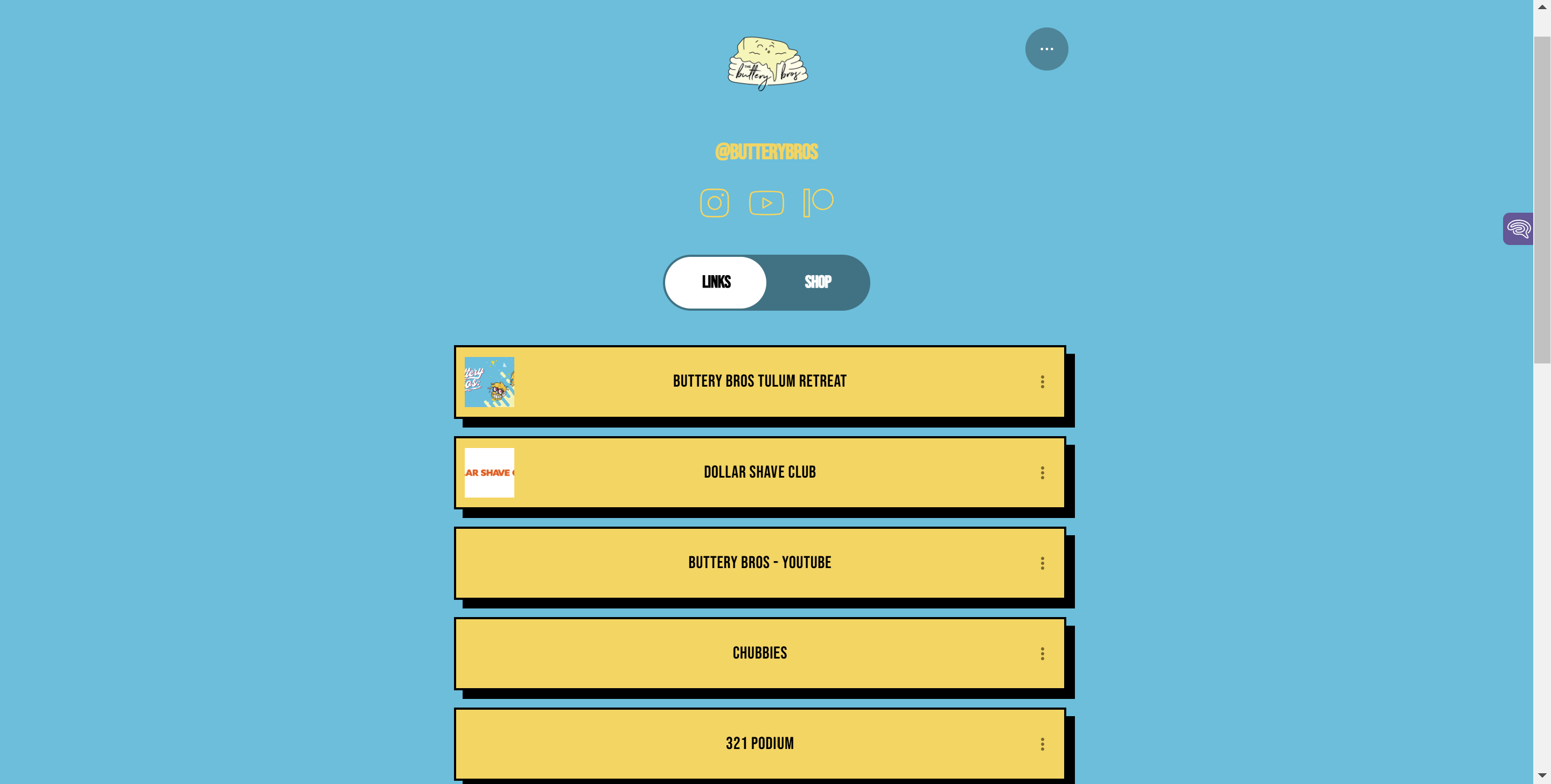
Linktree (not “Link Tree”) comes in a free and paid version, with the paid version offering advanced customization options, unlimited links, and detailed analytics data.
How to set up a link tree
Luckily, it’s incredibly easy to set up a Linktree landing page and start promoting various links.
- Go to www.linktree.com and create a free subscription.
- Enter the requested information about your account.
- Choose your plan (we recommend trying the free tool first before paying for the paid version).
- Change and optimize the appearance of your page (we recommend changing it to match your own website. This way, incoming direct traffic will not be surprised by the disparity!)
- Add at least a single link.
- Select a header, title, and thumbnail.
- Copy your unique URL and place it on your chosen social media channels like your one and only bio link spot.
Should Linktree be part of your marketing plan?
Now that you know how to set up your Linktree link, one important question remains: Is it even worth it? Does your website need all the important links in your Instagram bio or can you get by with one link in bio?
The benefits of setting up a linktree URL
One of the biggest and most obvious benefits of implementing a link tree as part of your social media marketing efforts is that all of your links are easily accessible in one easy place.
Instead of asking customers to come to your website and then getting them to follow your other accounts, view product shipments, and take other actions, you can do all of that from your brand’s Linktree landing page.
The other big advantage is that Linktree allows you to add links to almost any social media platform. Instagram, X, YouTube and TikTok all only allow one bio link by default, so this link-in-bio tool can be really useful!
Another big advantage? It’s completely free! Startups who are on a tight budget will be happy to know that they can set up and use a Linktree account without spending any money. While you’ll have to deal with the Linktree logo on your Linktree page, once you see the platform bringing you success, you can always upgrade to a Pro version to customize colors, branding, and fonts.
One of the reasons I particularly like the Linktree website compared to the alternatives is that it has some very detailed tracking data and analytics.
Similar to conducting search engine optimization marketing, you want to ensure that your social media marketing efforts are actually driving traffic and conversions.
With Linktree you can gain insights into how many users click on each link and where those link clocks come from.
As a paid plan user, you can also prioritize and schedule lists, ensuring that specific lists go live at specific times and are also automatically removed at a later date. This is a fantastic tool for brands offering promotional periods where they want to launch a limited-time offer to generate interest.
Linktree alternatives to consider
Of course, if you don’t quite like Linktree but are still interested in the concept in general, there are a few other options you should consider:
Milkshake: In my opinion the best alternative as I think the interface is the simplest, especially on mobile devices where most clicks come from.
beacon: Another good option, especially because it offers some minor customizations as part of a free plan and arguably also offers more advanced analytics than Linktree.
WHO: Not my personal favorite, but it offers customizable storefronts as well as some interesting built-in mini apps.
This is how you make your link tree a success
Create a link tree? A piece of cake.
To make it a success? This requires a little more skill!
Because if you’re going to go to the trouble of setting one up, you need to make sure it’s optimized for maximum engagement and conversions.
To do this, proceed as follows:
- Prioritize the most important lists: Place your most important links at the top of your page.
- Customize it for your brand: Choose colors and fonts that match your branding.
- Get noticed with titles and thumbnails: Make links special with fun and engaging text. Make the CTAs compelling and unique.
- Check the analytics regularly: Don’t forget to track performance and adjust your strategy and linktree order accordingly.
- Advertise it everywhere: Add your link to all of your social pages as well as other places like email signatures, business cards, and even website footers.
Get more essential marketing tips for just $1
Want to maximize your online presence in 2025? Learn how to drive traffic, increase engagement, and grow your brand.
For just $1, get instant access to 30+ expert-led courses and 1,000+ lessons designed to help you master Linktree, social media marketing, and online branding. Join a community of forward-thinking entrepreneurs building powerful digital presences.
Sign up for Foundr+ today.
Frequently asked questions about Linktree
Can you set up multiple links on Linktree?
Yes, Linktree allows you to add multiple links to your profile. You can customize the order, add thumbnails, and insert icons to make all your links more attractive.
Is there a free version of Linktree?
Yes, Linktree offers a free version that includes basic features like unlimited links and some customization options. However, premium plans offer advanced features like analytics, custom branding on your Linktree landing page, and integrations.
Which social media platforms can you use Linktree on?
Linktree can be used on Instagram, TikTok, Twitter (X), Facebook, YouTube, LinkedIn and other platforms where you can share a single bio link. It helps you share multiple links on an easily accessible landing page for social media users.